

Biometric desktops
Identity registration on any desk
Compact
Fits on any desk
Multimodal
Biometrics
Any OS
Windows / Android
Biometric desktops
Identity registration on any desk
Compact
Fits on any desk
Multimodal
Biometrics
Any OS
Windows / Android
Desktop registration
End-to-end ID registration from one compact desktop
Fingerprint scanner
FBI-certified scanners, from single-finger capture to full 4-4-2 enrolment.
Photo camera
Real-time guidance evaluates lighting, contrast, positioning and sharpness to minimise retakes.
MRZ reader
Reads the machine-readable zone on passports, ID cards and visas in seconds.
Full-page passport reader
Reads the whole passport data page, including the photo and MRZ, and can scan visa pages too.
Identity card readers
Reads contact chip and contactless ID cards, so an existing card can be checked during registration.
Signature pad
Capture handwritten signatures digitally with a stylus.
A4 document scanner
Scans documents in high resolution.


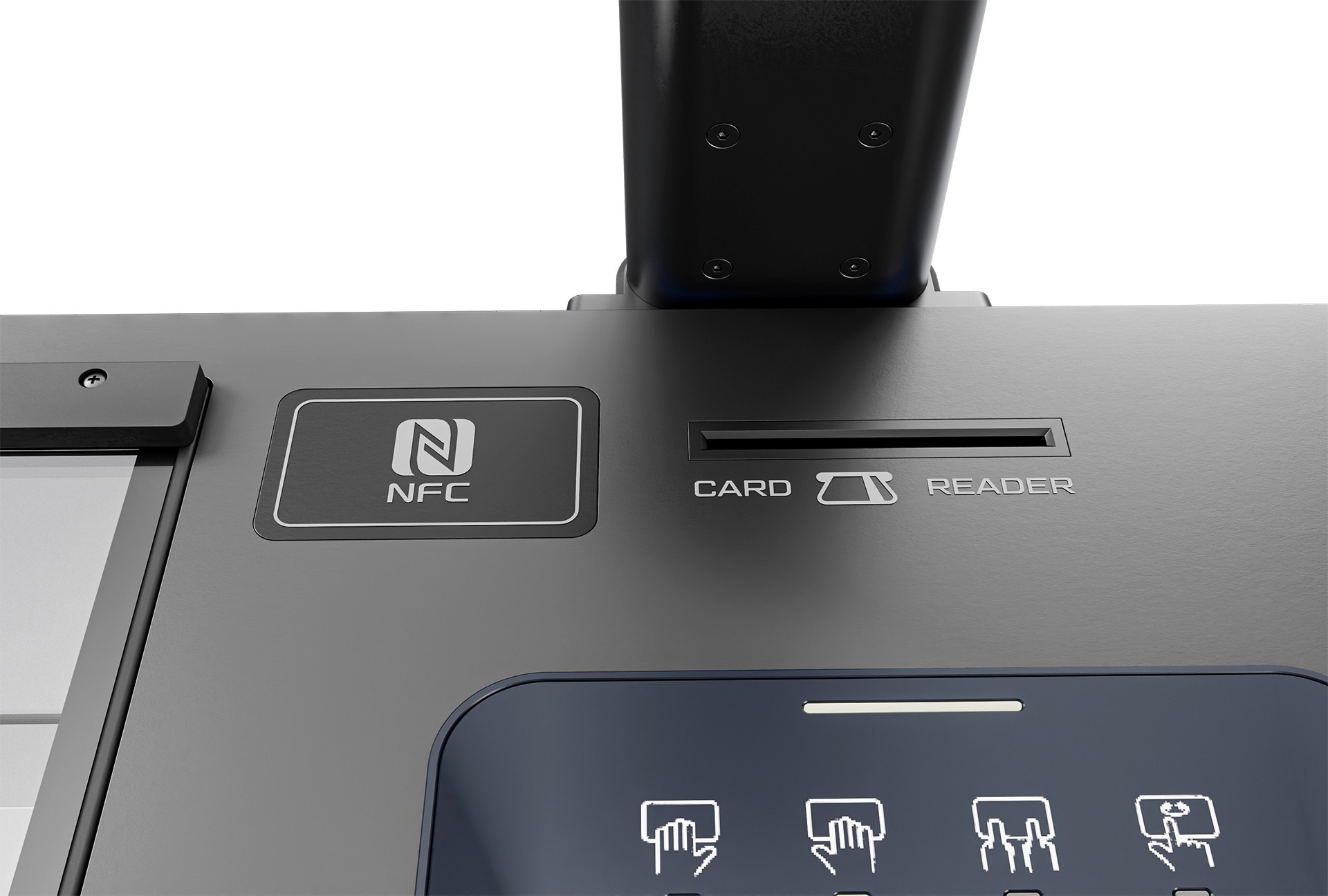


Fingerprint scanner
FBI-certified scanners, from single-finger capture all the way to full 4-4-2 enrolment.
Photo camera
Real-time guidance evaluates lighting, contrast, positioning and sharpness to minimise retakes.
MRZ reader
Reads the machine-readable zone on passports, ID cards and visas in seconds.
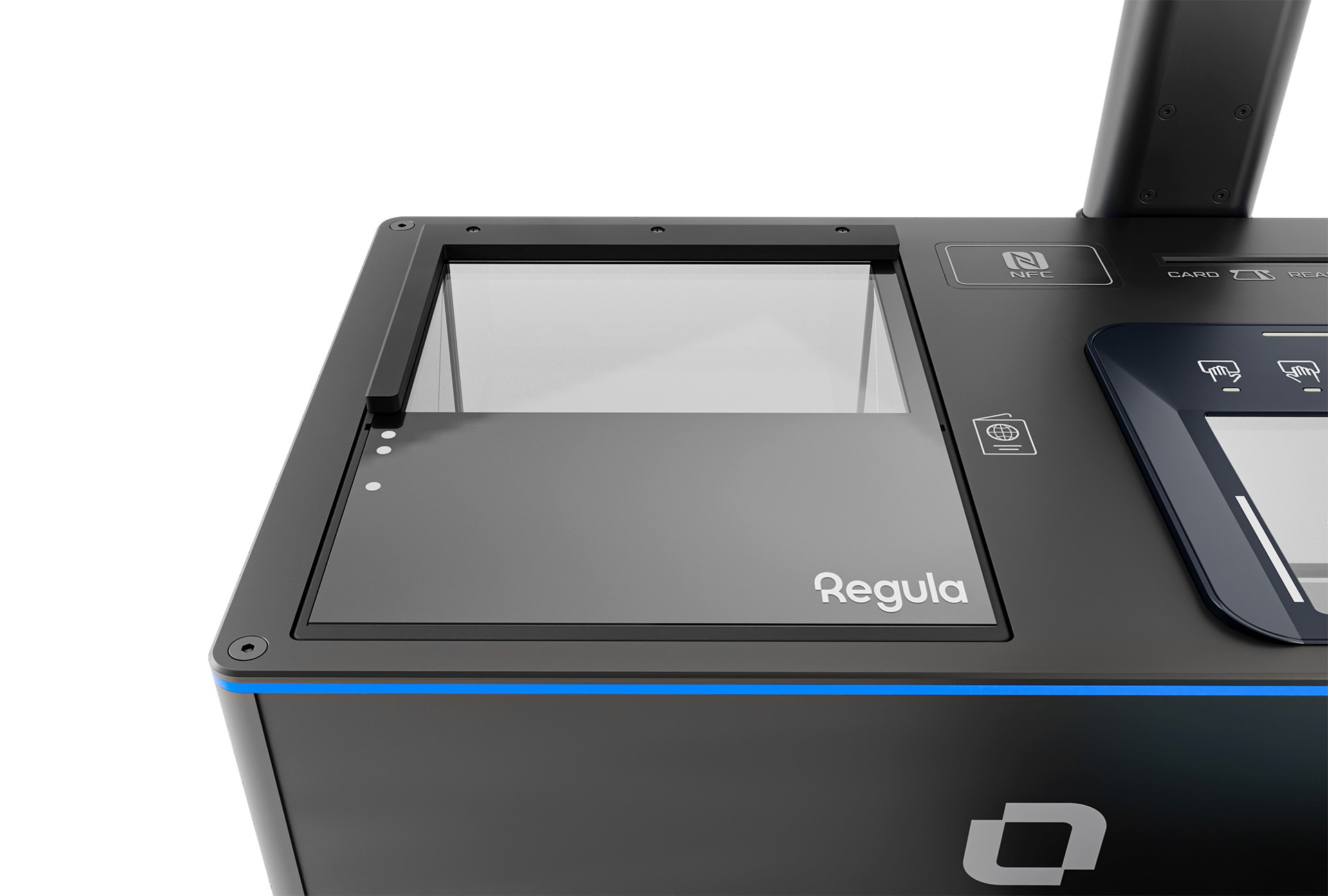
Full-page passport reader
Reads the whole passport data page, including the photo and MRZ, and can scan visa pages too.
Identity card readers
Reads contact chip and contactless ID cards, so an existing card can be checked during registration.
Signature pad
Capture handwritten signatures digitally with a stylus, saved directly to the enrolment record.
A4 document scanner
Scans documents in high resolution, straight into the registration record.
ID registration desktops
Three desktop series

Laxton M
Laxton M is an integrated enrolment desktop that connects to any laptop or PC. Choose the capture components your programme needs.

Laxton MC
Laxton MC is an enrolment desktop with its own built-in PC, screen and motorised camera. Citizens can use it on their own or with help from an operator.

Laxton Slider
Laxton Slider is an ultra-compact enrolment desktop for biometric capture, with a camera the operator raises or lowers by hand.

Connect Laxton desktops to Windows and Android devices
Windows
Windows
Windows
Android
Android
Android
Desktop · Laptop · Tablet
Desktop · Laptop · Tablet
Desktop · Laptop · Tablet

Developer tooling
SDKs that fit your stack
Our SDKs give your team what it needs to build an application that fits your existing system. Or our engineers can build it for you.
Native Windows and Android libraries
Unified API across every modality
Sample apps and integration support
Build your own
Configure your perfect hardware solution.

id_card
Card reader
fingerprint
Fingerprint scanner
camera
Photo camera
document_scanner
Document scanner
center_focus_weak
Dual iris scanner
nfc
Identity NFC
signature
Signature pad
passport
MRZ reader
id_card
Card reader
id_card
Card reader
fingerprint
Fingerprint scanner
fingerprint
Fingerprint scanner
camera
Photo camera
camera
Photo camera
document_scanner
Document scanner
document_scanner
Document scanner
center_focus_weak
Dual iris scanner
center_focus_weak
Dual iris scanner
nfc
Identity NFC
nfc
Identity NFC
signature
Signature pad
signature
Signature pad
passport
MRZ reader
passport
MRZ reader
See our R&D and production facilities
Contact us for the full product range and technical specifications.
Contact us for the full product range and technical specifications.
Contact us for the full product range and technical specifications.
Frequently asked questions
Which biometrics can the desktops capture?
Fingerprint (single-finger to 4-4-2), iris with dual-eye goggles and AI-assisted facial capture for ICAO-compliant photos, all in one workflow.
Can biometric data be stolen or misused?
Data is encrypted on the desktop and when it syncs, and only goes to the systems your programme authorises. We comply with strict data-protection regulations.
Can biometric identification be used for large-scale verification?
Yes. Laxton desktops are used in national ID, border control, banking onboarding and census programmes, online or offline.
How do the devices integrate with our existing systems?
Native Windows and Android SDKs with a unified API let your team build custom apps, or our experts integrate the devices into your platform for you.
Is biometric identification reliable and secure?
Yes. Liveness detection helps stop fake fingerprints and photos, and all biometric data is encrypted.
Can citizens use the desktops without an operator?
Yes, with Laxton MC. Its built-in PC, screen and motorised camera support self-service enrolment, or an operator can guide the citizen.
Do the devices work offline?
Yes. Capture, matching and storage work fully offline, and records sync securely once a connection is available.
Frequently asked questions
Which biometrics can the desktops capture?
Fingerprint (single-finger to 4-4-2), iris with dual-eye goggles and AI-assisted facial capture for ICAO-compliant photos, all in one workflow.
Is biometric identification reliable and secure?
Yes. Liveness detection helps stop fake fingerprints and photos, and all biometric data is encrypted.
Can biometric data be stolen or misused?
Data is encrypted on the desktop and when it syncs, and only goes to the systems your programme authorises. We comply with strict data-protection regulations.
Can citizens use the desktops without an operator?
Yes, with Laxton MC. Its built-in PC, screen and motorised camera support self-service enrolment, or an operator can guide the citizen.
Can biometric identification be used for large-scale verification?
Yes. Laxton desktops are used in national ID, border control, banking onboarding and census programmes, online or offline.
Do the devices work offline?
Yes. Capture, matching and storage work fully offline, and records sync securely once a connection is available.
How do the devices integrate with our existing systems?
Native Windows and Android SDKs with a unified API let your team build custom apps, or our experts integrate the devices into your platform for you.
Frequently asked questions
Which biometrics can the desktops capture?
Fingerprint (single-finger to 4-4-2), iris with dual-eye goggles and AI-assisted facial capture for ICAO-compliant photos, all in one workflow.
Can biometric data be stolen or misused?
Data is encrypted on the desktop and when it syncs, and only goes to the systems your programme authorises. We comply with strict data-protection regulations.
Can biometric identification be used for large-scale verification?
Yes. Laxton desktops are used in national ID, border control, banking onboarding and census programmes, online or offline.
How do the devices integrate with our existing systems?
Native Windows and Android SDKs with a unified API let your team build custom apps, or our experts integrate the devices into your platform for you.
Is biometric identification reliable and secure?
Yes. Liveness detection helps stop fake fingerprints and photos, and all biometric data is encrypted.
Can citizens use the desktops without an operator?
Yes, with Laxton MC. Its built-in PC, screen and motorised camera support self-service enrolment, or an operator can guide the citizen.
Do the devices work offline?
Yes. Capture, matching and storage work fully offline, and records sync securely once a connection is available.
SOLUTIONS
PRODUCTS
RESOURCES
COMPANY

Laxton is a DNP Company
DNP is a leading global innovator in secure printing, smart communication, and digital solutions.

SOLUTIONS
PRODUCTS
RESOURCES
COMPANY
Laxton is a DNP Company
DNP is a leading global innovator in secure printing, smart communication, and digital solutions.
SOLUTIONS
PRODUCTS
RESOURCES
COMPANY
Laxton is a DNP Company
DNP is a leading global innovator in secure printing, smart communication, and digital solutions.